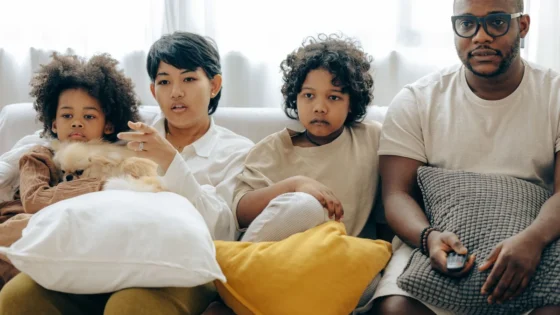

A parent works out that the household is paying for three streaming services, that the children watch roughly four things between them, and that at least one of those four is on a service nobody chose deliberately.
Most guides answer this by naming a winner. There isn’t one, because a three-year-old and a fifteen-year-old are not the same customer.

Answer by age, not by service
| Children aged | Best option |
|---|---|
| Under 6 | CBeebies on BBC iPlayer |
| 6 to 12 | Disney+ |
| Mixed ages including teenagers | Netflix |
Under six: start with CBeebies
The British answer that American guides never give, because they cannot.
CBeebies on BBC iPlayer is made specifically for pre-school children, carries no advertising at all, and is already covered by your TV licence. For that age group it is genuinely the strongest option available in this country, and a great many families pay for a subscription without ever trying it.
CBBC picks up from there for older primary-age children, with the same absence of advertising.
Before paying for anything, spend a fortnight here. If your children are small, there is a reasonable chance the paid subscription was never necessary. The licence requirement is covered in our guide to whether you need a TV licence to stream.
Six to twelve: Disney+
This is where Disney+ earns its place properly. The children’s catalogue has more depth than anything else available, and at that age the franchise pull of Marvel, Star Wars and Pixar is real rather than marketing.
The parental controls are among the better implementations: age-based filtering and separate children’s profiles that are quick to set up.
Worth knowing the criticism, though, because it applies to every service and Disney+ is not exempt: a curious child can move out of a children’s profile more easily than parents assume. Which brings us to the thing that decides whether any of this works.

The setting that makes the rest work
Every service advertises parental controls. Almost all of them are close to useless on their own, for one reason.
A children’s profile only holds if the adult profiles are locked with a PIN.
If a child can tap back and select your profile, every content setting you configured is bypassed in two seconds. The lock goes on the adult profiles, not the children’s, which is the part people get backwards.
There is a second gap worth closing: most services let you require a PIN before a new profile can be created. Children work out quickly that a fresh profile is unrestricted by default.
Our guide to Netflix parental controls in the UK goes through both, including the British age ratings, which are BBFC rather than the American ones nearly every guide lists.
Mixed ages: Netflix
Once there is a teenager in the house alongside a younger child, Disney+ starts to strain. Netflix is the only major service that reasonably serves both from one subscription, because the catalogue is broad enough to cover a six-year-old and a fifteen-year-old without either being bored.
Its Kids profile is well implemented and its parental controls are detailed. If the household is running one subscription and the ages are spread, this is usually the one.
Two free options worth knowing
YouTube Kids is free, curated for children, and allows a parent-PIN-protected profile for under-eights. It is more variable in quality than the broadcast services, and worth setting up carefully rather than leaving open.
ITVX, Channel 4 and My5 all carry children’s programming free of charge. Smaller selections than iPlayer, and ad-supported, but they exist and cost nothing. Our guide to free streaming in the UK covers what else sits on them.
The advertising question
It matters more with children than with adults, and it is worth deciding deliberately.
The free commercial services carry advertising, some of it aimed squarely at children. The BBC’s services carry none. Netflix’s cheaper tier is reported to use pre-roll advertising rather than breaks mid-programme, which is less disruptive than the alternative.
If advertising aimed at your children is something you would rather avoid, that narrows the field to iPlayer and the ad-free paid tiers quite quickly.
What most families should actually do
- Start with iPlayer if the children are small. Ad-free, made for the age, already paid for.
- Add one paid service that matches the ages, rather than two or three.
- Lock the adult profiles before worrying about anything else.
- Turn off autoplay for the next episode. With younger children this is the difference between one programme and an afternoon.
- Review it every few months. Children’s tastes move faster than subscriptions do, and the service that was right last year often is not.
Our comparison of free versus paid streaming covers the wider trade-off, and UK streaming services compared works through which service suits which household.

Common questions
What is the best streaming service for children in the UK?
CBeebies on iPlayer for under-sixes, Disney+ for roughly six to twelve, Netflix where ages are mixed and include teenagers.
Is Disney+ better than Netflix for kids?
For primary-age children, generally yes. For a household spanning small children and teenagers, Netflix covers more from one subscription.
Are parental controls reliable?
Only if you also lock the adult profiles with a PIN. Without that, a child simply switches profile.
Is there anything good and free?
CBeebies and CBBC on iPlayer, which carry no advertising and are covered by your TV licence. YouTube Kids is free but needs setting up carefully.
How do I stop endless autoplay?
Turn off automatic playback of the next episode in the profile settings. It is the single most effective change for younger children.
The short version
Try CBeebies before you pay for anything. Add one service matched to the ages rather than three. And lock your own profile with a PIN, because until you do, none of the other settings mean very much.